Your TarotPulse Dashboard Now Speaks in Symbols: Real Glyphs, Meanings, and Spreads You Can See
You pull cards for a month. You open your dashboard, and it tells you Taurus shows up in 17% of your readings.
Great. So what?
That "so what" is the whole point of tracking your pulls, and it's what this release is built around. Every number, suit, planet, and sign on your dashboard now carries its own meaning, its own cards, and its own page of your history. The symbols are drawn properly. And your spreads finally look like spreads.
Three Insight Cards, One Language
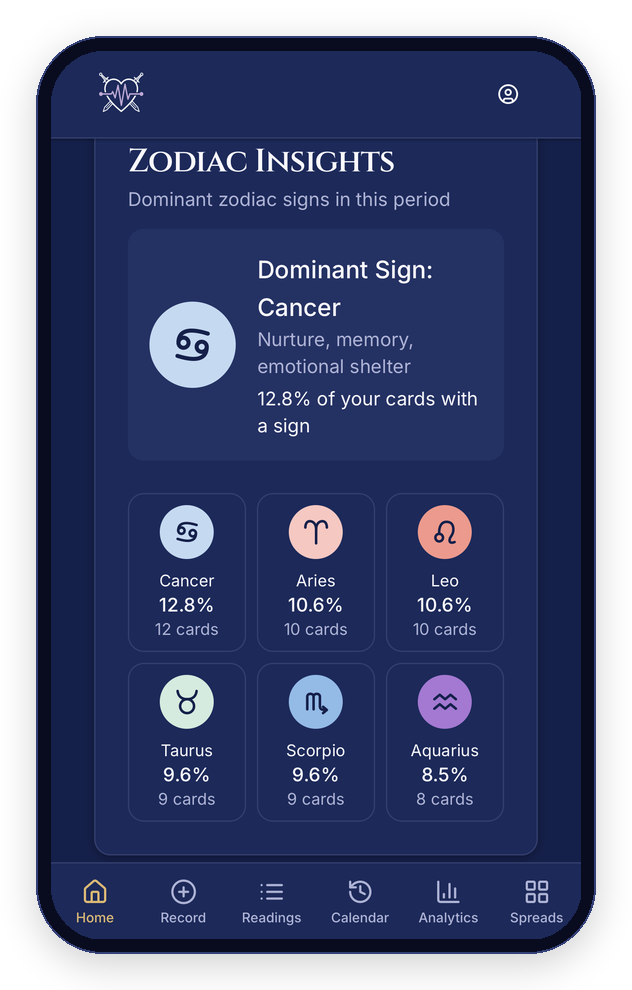
Your dashboard has three insight cards: Numerology Insights, Zodiac Insights, and Planetary Insights. Each one leads with your dominant symbol for the period you're looking at, with its keyword and its share of your readings. Under it sit your top six, laid out as a tidy grid of tiles so the whole picture fits on one screen, on a phone or a desktop.
Real Astrological Glyphs
The sign and planet symbols are drawn as proper astrological glyphs: all twelve signs, plus the Sun's circle-and-dot, the Moon's crescent, Mercury, Venus, Mars, Jupiter, Saturn, Uranus, Neptune, and Pluto. They look the same on every phone, laptop, and browser, in dark mode and light mode, because they're part of TarotPulse itself, not borrowed from whatever font your device happens to have.
You'll see them everywhere a sign or planet appears: your insight tiles, the analytics rows and charts, the meaning cards, the dialogs, and the symbol pages. One set, one look, no surprises.
Tap Anything
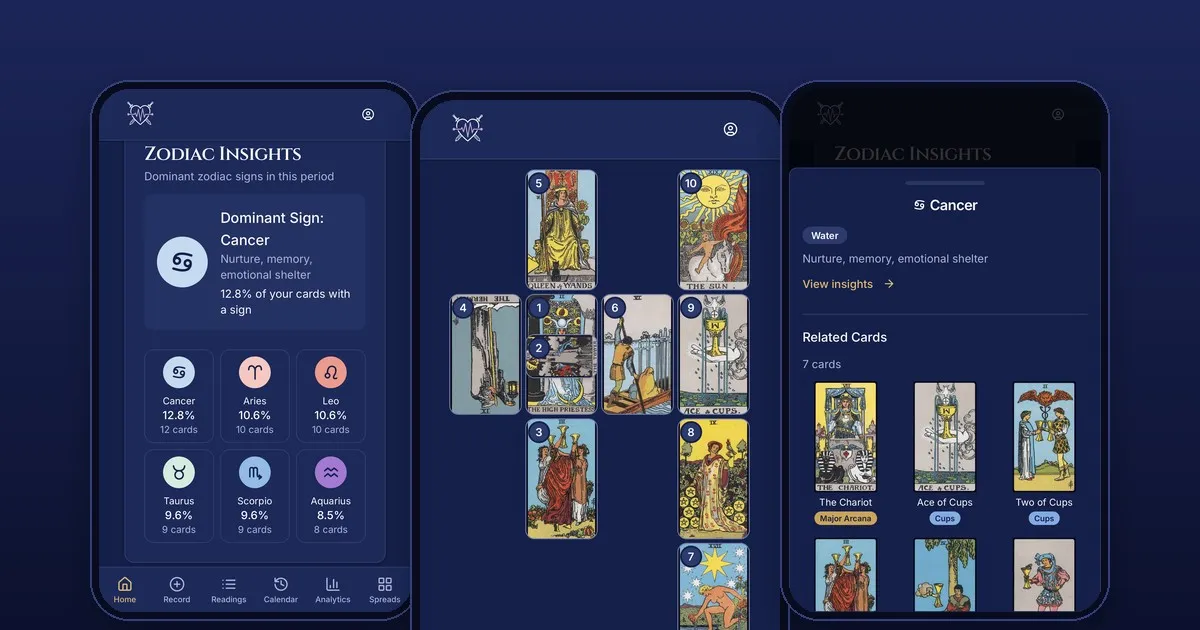
Tap a number, suit, planet, or sign on your dashboard or analytics pages and a dialog opens (a bottom sheet on your phone). It gives you the symbol's meaning, up to ten of the cards that carry it, shown whole, and a View insights link that takes you to that symbol's page. Cards open their own dialog the same way.
One gesture for everything on the page. You never have to wonder whether something is tappable.
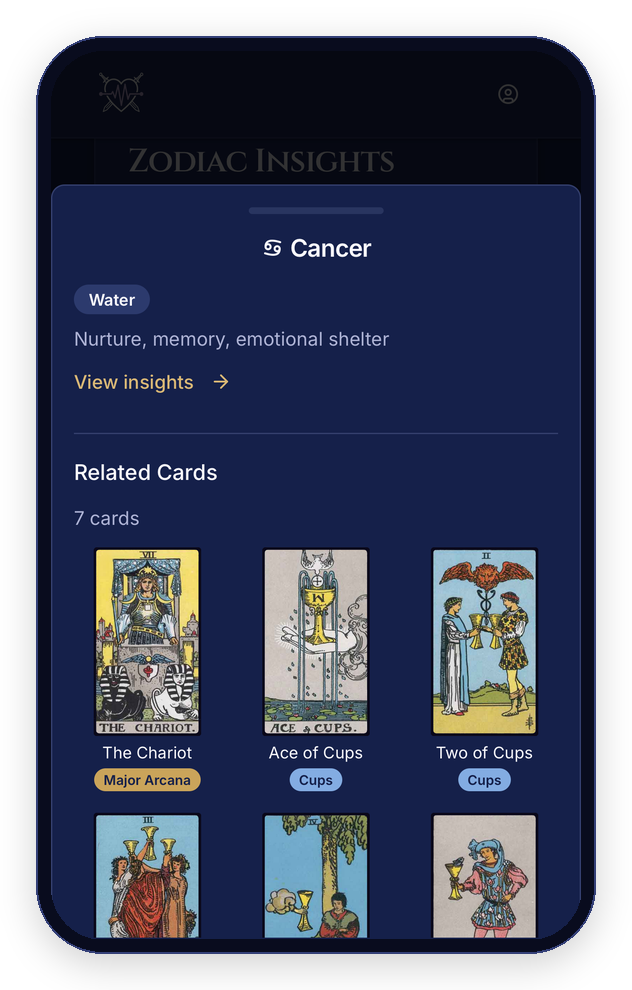
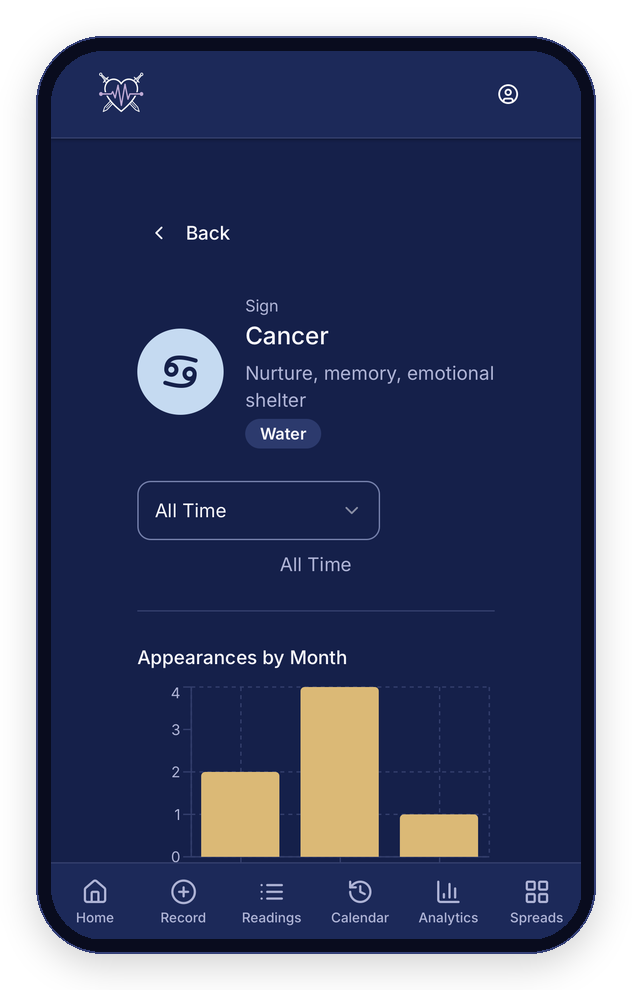
A Page for Every Symbol
Every number, suit, planet, and sign has its own page. Each one shows the symbol's meaning, every card that carries it, and your own record: how often it shows up over time and the readings it appeared in. The page is yours alone. You need to be signed in to see it, and it only ever shows your readings.
If you want to know what Scorpio has been doing in your readings, you can now go and look, instead of guessing.
Meaning Cards on Every Analytics Tab
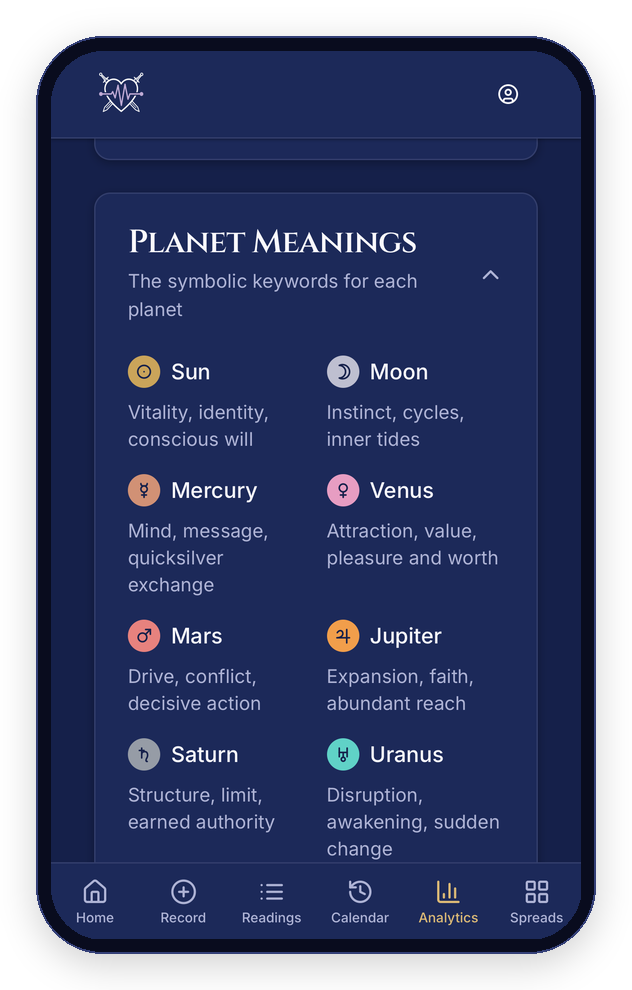
The Numbers, Zodiac, Planets, and Suits tabs each open with a meaning card: a quick, readable key to every symbol on that tab. Open by default so you have the key in front of you, collapsible when you'd rather have the space.
Spreads You Can See
Every spread in the library now has a layout, from Single Card to the Celtic Cross, and the Horseshoe is laid out as the horseshoe it is. The spreads you design yourself get one too. Arrange your own, or let TarotPulse lay out the positions in a clean grid. The position list stays right below, so nothing about reading your notes changes.
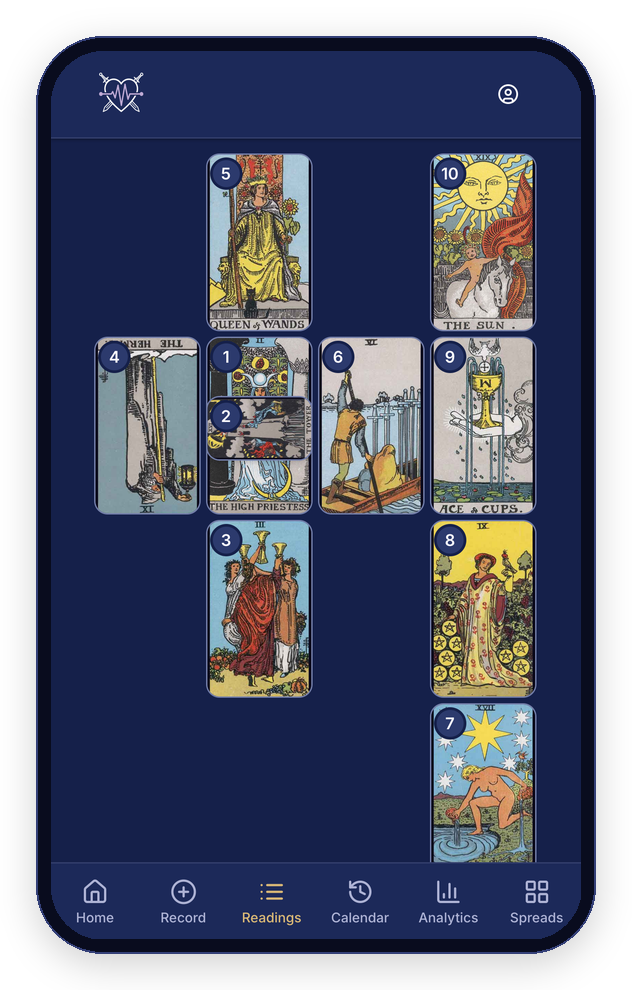
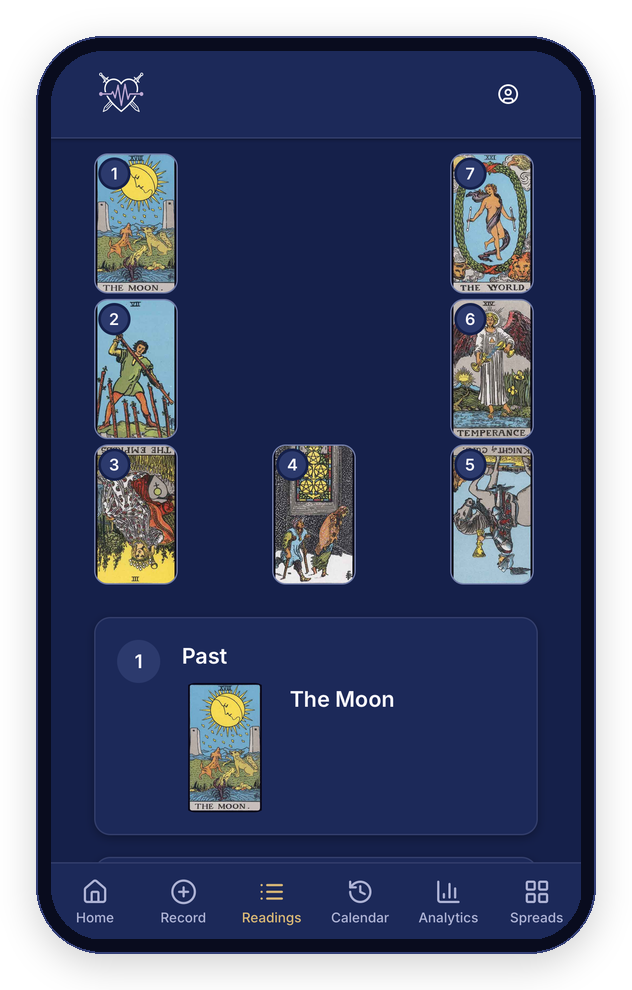
The bigger one: open a reading you recorded with a spread and you see the cards you actually pulled, sitting in their positions. Reversed cards are turned upside down. In the Celtic Cross, the crossing card lies across the card it crosses, like it does on your table. Tap a position and you jump straight to your notes for it. On a very narrow screen the layout simplifies to numbered positions rather than shrinking the cards past the point of reading.
Built to Feel the Same Everywhere
The small stuff adds up. Card art is shown whole, never squeezed or cropped. Suit chips stay on one line. Touch targets are at least 44 pixels tall. Everything fits a 375-pixel phone without sideways scrolling. And dark mode and light mode got the same attention.
Go Look at Your Own Pulls
A guidebook can tell you what a sign means in general. Only your own record can tell you what it means in your readings. Open your TarotPulse dashboard, tap your dominant symbol, and follow it down the page. It's all there waiting.